






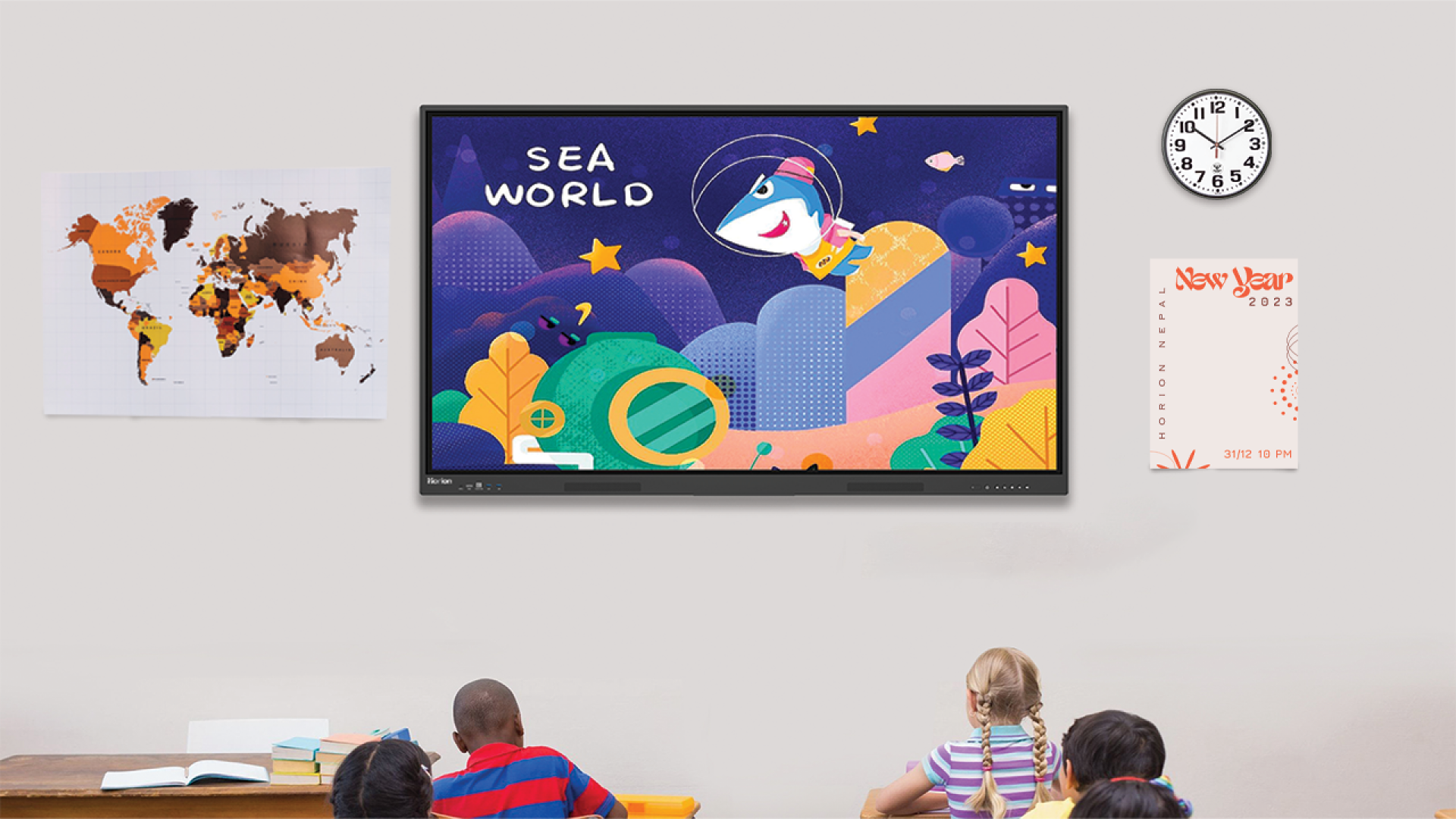
Interactive Whiteboard in Teaching
Teaching in the modern world is constantly evolving at a rapid pace. They look very different from what they did just a decade ago. Educators and teachers now include teaching methods that include audio and visual means and are expected to include interactive methods to enhance the learning environments in classrooms. The question now becomes how they can do this? One of the best ways to do this is through the inclusion of an interactive whiteboard in teaching. This new-age teaching tool allows teachers to present multimedia content, annotate lessons in real time, and involve students directly in the teaching-learning process. But this is all there is to interactive whiteboards in teaching.
In this blog, we shall provide a complete guide for teachers regarding interactive whiteboards. This includes information such as what an interactive whiteboard is in teaching, why they are important in modern classrooms, how they improve student learning, and more.
What is an Interactive Whiteboard in Teaching?
An interactive whiteboard in teaching is simply a digital display system, which allows a teacher to present lessons, write, draw, and interact directly with the content on screen. For this, the teachers can use devices such as a stylus and connected devices or interact directly with touch, depending on the interactive whiteboard device.
At its core, the interactive whiteboard is an interactive flat panel device with specialized software. This setup lets the teachers play videos, presentations, diagrams, and web content while also annotating in real time. At the same time, this setup lets teachers save notes, revisit lessons and even share materials with the students instantly, which makes the teaching more efficient and organized.
In teaching, this goes beyond just delivering teaching content as the inclusion of an interactive whiteboard creates an environment where students can come up to the board, solve problems, collaborate on tasks, and visually explore concepts.
Why are interactive whiteboards important in modern classrooms?
Modern classrooms are not limited by textbooks. Lessons need to be more engaging as learning has become more digital. Interactive whiteboards play a crucial role in this transformation by helping teachers create an immersive and dynamic environment. Interactive whiteboards have many benefits in today’s classroom.
- Touch, visuals and activities make lessons more interactive, keeping students active rather than passively listening.
- It is easier for teachers to reach all learners, including visual, auditory and kinesthetic, by combining visuals, audio and hands-on interactions.
- Teachers can instantly switch between video, presentations, online resources, and live annotations without interrupting the flow of their teaching.
- Students can solve problems in groups, interact on the board and take part in group activities.
- Through animations and real-time explanations of abstract concepts, diagrams make them easier to understand.
- Teachers can easily share content with my students, whether they are teaching online or in person.
- Teachers can save lesson materials and reuse content. They also reduce the reliance on printed material, which makes teaching more efficient.
What are the main features of an interactive whiteboard?
In modern classrooms, interactive whiteboards are essential. Not all devices are created equal. There are some key features that a teacher should look for. A teacher should be aware of some key features.
- 4K Ultra HD Display
- The sharp graphics and clear text make it easy to read content from any location in the classroom.
- Multi-Touch Interaction
- Multiple touch points are supported, allowing multiple students to interact and write at the same time.
- Dual OS Support (Android + Windows)
- Includes Android support and Windows compatibility.
- High Performance (RAM and Storage)
- Multitasking is made easy with the powerful hardware.
- Wireless Screen Sharing & Connectivity
- Enables connection of laptops, tablets, and smartphones to the screen without the use of cables.
- Built-in Microphone, Speakers and Camera
- The screen has the ability to conduct video conferencing and hybrid learning through its built-in audio and video features.
- All-in-One Design
- One device that combines a display, computer speakers, and a whiteboard.
- Cloud Integration
- Cloud platforms give you the ability to save, access, and share files.
- Multi-Device Compatible
- Compatible with Windows, macOS and iOS devices.
- Large Screen Sizes
- These are available in 65” and 75” sizes for improved classroom visibility.
- Collaboration Features
- Split-screen mode, multi-user interactivity and group activities are supported.
What are the advantages of interactive whiteboards to teachers?
Teachers can also benefit from using interactive whiteboards. Teachers can utilize these whiteboards to develop interesting, flexible, and efficient lessons. Among the other advantages that interactive whiteboards provide to teachers are:
- Simplified Lesson Planning: Teachers can develop electronic lessons and save them to be reused later.
- The Enhanced Delivery of Lessons: Students are more engaged when explanations include visuals, videos and animations.
- Save time in the classroom: Lessons are uninterrupted as the switching between resources, apps, and content happens seamlessly.
- Improve Classroom Management: Students can focus on the content as they are engaged through interactive activities and content.
- Support for Assessment & Feedback: The interactive exercises and quizzes can be used by teachers to assess the understanding of the students instantly.
- Flexible Hybrid and remote education: Using screen sharing, microphones, and cameras to share content online or in a blended environment is easy.
- Eco-Friendly, Cost-Effective: Less usage of markers, printed materials, and other physical resources.
- Encourage Creativity and Innovation in Education: Teachers can develop engaging lessons that make learning fun.
- Collaboration Opportunities: Teachers can use this tool to facilitate group work and discussions by allowing all students to interact with each other at the same time on the board.
How do interactive whiteboards improve student learning?
Interactive whiteboards turn learning passive into an engaging and active experience. So long as it has all the features the teacher needs, the device is an asset that enhances student learning. How do interactive whiteboards enhance student learning? These are the main reasons:
- Students are more engaged when they have a choice.
- The board is interactive, allowing students to interact with it directly through quizzes and other activities. This keeps them engaged in the lesson.
- It improves understanding of complex concepts.
- The use of visuals, animations and real-time annotations makes it easier to understand difficult topics.
- Different learning styles are supported by the app.
- Teachers can use a combination of videos, audios, texts, and hands-on interactions to meet the needs of visual, auditory, or kinesthetic students.
- Encourage active participation
- The board allows students to solve problems and work together, making the learning process more interactive.
- Memory retention is improved by using these products
- Visual and interactive learning aids in better retention of information compared to traditional methods. It gives instant feedback to the students
- It promotes collaborative learning.
- The students are able to work on the same screen to develop teamwork and collaboration skills.
- The lessons become more engaging.
- The different types of content help to keep the lessons interesting and prevent boredom.
- It promotes personalized learning.
- The lessons can be modified to suit the needs of the student.
- The lessons can be modified to suit the needs of the student.
What Are the Challenges of Using Interactive Whiteboards?
Although there are advantages for both teachers and students, there are some challenges in using interactive whiteboards with Nepali students and teachers. The main challenges are as follows:
- Initial Cost
- Installing and purchasing interactive whiteboards can be expensive, especially if your school has a limited budget.
- Teacher training is required.
- It may take some time and effort to train teachers on how to use the tools effectively.
- Maintenance and technical problems
- Like any other digital device, they can have software problems, connectivity problems, or hardware malfunctions.
- Dependence on electricity and the internet
- If there are power outages or poor internet connectivity, it can be a problem in the classroom.
- Users learning curve
- It may take some time for both teachers and students to adjust to the new technology.
- Compatibility Issues
- Certain devices or software might not work well with the whiteboard system.
- Costs of ongoing services
- Long-term costs can include maintenance, upgrades, and accessories.
What is the difference between an Interactive Whiteboard and a Digital Board?
Teachers should be aware of the key differences between “interactive board” and “digital whiteboard,” although they can be used interchangeably. The key differences are as follows:
- Interactivity
- Interactive whiteboards enable users to write, draw, and highlight on the screen. They are multi-touch enabled. Digital boards are only capable of displaying content that is not interactive or touch-sensitive.
- Functionality
- Interactive whiteboards come with collaboration and annotation tools that make teaching more engaging. Digital boards are large screens or monitors that are used for displaying presentations or videos.
- User Engagement
- Interactive whiteboards allow students to engage actively by solving problems on the screen. Digital boards are teacher-centric, with minimal direct interaction with the students.
- Hardware & Connectivity
- Interactive whiteboards include speakers, touch sensors, processors and connectivity to multiple devices. Digital boards can require external devices such as computers, speakers, or projectors to perform similar functions.
- Lesson Flexibility
- Digital boards, on the other hand, are mainly static displays. Interactive whiteboards allow for real-time editing and saving of notes.
Conclusion
Modern classrooms need interactive whiteboards. These interactive whiteboards have revolutionized the way that teachers teach and students learn. These devices combine multimedia content with collaboration tools and touch interactions. They do have some challenges, such as the cost and need for training. However, they are a great investment in modern education.
This blog will provide you with some insights into the use of interactive whiteboards for teaching. This blog is a great resource. Check out our other blogs if you want to learn more about smartboards and interactive boards. If you are looking for the best smartboards available in Nepal, then look no further than Horion Nepal.
Recommended Blog:
Why Interactive Smart Boards in Nepal Are the Future of Meetings
How Smart Boards Improve Student Engagement
Frequently Asked Questions about Interactive Whiteboards for Teaching
1. Are interactive whiteboards useful for schools?
They are a very good investment, as they increase the engagement of students and make the teaching process more interesting. Even though the initial cost may be higher, the benefits of learning in the long run may often compensate for the additional cost.
2. Does it actually increase the performance of students?
By using a combination of visual, audio, and hands-on learning, interactive whiteboards increase learning and retention. They promote active engagement when used correctly, and this often leads to increased student performance.
3. How long do interactive whiteboards last?
The average life span of most interactive whiteboards is 7-10 years if they are handled and maintained properly.